Google Ads Search Terms: How to Optimize for Better Performance
In the ever-evolving world of e-commerce, it’s not just about having ads—it's about having smart ads. The secret sauce? Nailing your search terms. Think of it like matchmaking—connecting your business with the perfect audience, right when they're looking for what you offer. Ready to boost your visibility and get the most bang for your buck? Let’s explore how mastering search terms can supercharge your Google Ads campaigns and take your ROI to the next level!
Why Are Search Terms So Important?
Search terms are the actual words or phrases users type into Google when they’re looking for something. While keywords are what you bid on, search terms show the real intent behind the search. Mastering this distinction is crucial because:
- Relevance is Everything: Ads that closely match search terms are more likely to get clicked. Higher relevance means a better Quality Score, which can lower your costs and improve ad positioning.
- Real Insights from Real People: Search terms tell you exactly what potential customers are looking for. This data is invaluable for refining your keywords, ad copy, and landing pages to better match user intent.
- Maximize Your Budget: By understanding and optimizing for high-performing search terms, you can allocate your budget more effectively and avoid wasting money on irrelevant clicks.
How to Use Search Term Reports:
Google’s Search Term Reports provide a wealth of information. Here’s how you can use them to your advantage:
- Identify High-Performing Terms: Look for search terms that generate high impressions, clicks, and conversions. These are your golden opportunities. Consider adding them as exact match keywords to increase your control over ad visibility.
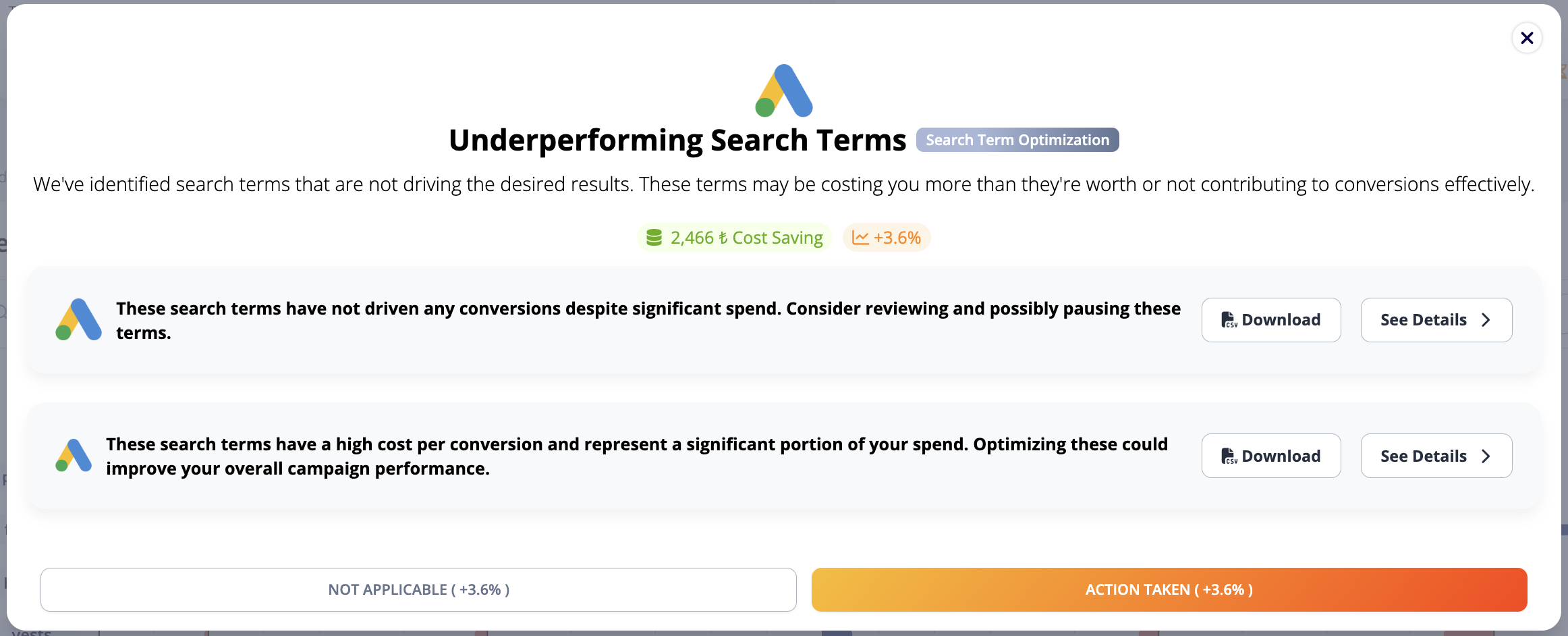
- Spot Underperformers: Find terms that have high costs but low returns. Add these as negative keywords to prevent your ads from showing up in irrelevant searches. This strategy helps in refining your audience and saving your ad spend.
- Refine Your Targeting: Use search term insights to adjust your keyword match types (broad, phrase, exact). For example, if a specific search term consistently leads to conversions, consider changing it from broad match to exact match to narrow your targeting and reduce wasted clicks.
Strategies to Optimize Search Terms:
- Use Negative Keywords Effectively: Negative keywords help filter out irrelevant traffic. For instance, if you sell premium products, exclude terms like “cheap” or “free” to avoid clicks from users who are unlikely to convert.
- Align Ad Copy with Search Terms: Make sure your ad headlines and descriptions include the exact search terms your customers are using. This not only increases ad relevance but also improves your Quality Score and CTR (Click-Through Rate).
- Optimize Landing Pages: The user’s journey shouldn’t end with a click. Ensure your landing pages deliver exactly what your ad promises. If your ad targets “best trail running shoes,” the landing page should showcase your top-rated trail running shoes with detailed descriptions and customer reviews.
- Dynamic Keyword Insertion: Use dynamic keyword insertion (DKI) in your ads to automatically update your ad copy with the user’s search term. This increases ad relevance and can significantly boost CTR.
- Experiment with Different Match Types: Test different match types—broad, phrase, and exact—to find what works best for your campaign. Use broad match to capture a wide audience and exact match for precise targeting.
Advanced Optimization Techniques:
- Bid Adjustments for Device and Location: If you notice that certain search terms perform better on mobile devices or in specific locations, adjust your bids accordingly to maximize results.
- Time-of-Day and Day-of-Week Targeting: Use historical data to determine the best times to show your ads. If you see higher conversion rates during evenings or weekends, increase your bids during these times to capture more traffic.
- Leverage Audience Insights: Combine search term data with audience insights to refine your targeting. For example, if a specific demographic consistently converts well, tailor your ads and landing pages to appeal directly to them.
- Utilize Performance Max Campaigns: Performance Max campaigns use AI to optimize performance across all Google channels. Use search term data from these campaigns to uncover new keyword opportunities and refine your ad strategy.
Analyzing and Iterating for Continuous Improvement:
- Regular Search Term Analysis: Review your search term reports weekly to stay on top of trends and adjust your strategy as needed. Identify new high-performing search terms to add and underperforming ones to exclude.
- A/B Testing: Continuously test different ad copies, landing pages, and keyword match types. This will help you identify the most effective combinations for driving traffic and conversions.
- Adjust Bids Based on Performance: Increase bids for high-performing search terms to gain more visibility and traffic. Conversely, reduce bids for terms that aren’t delivering results to optimize your budget.
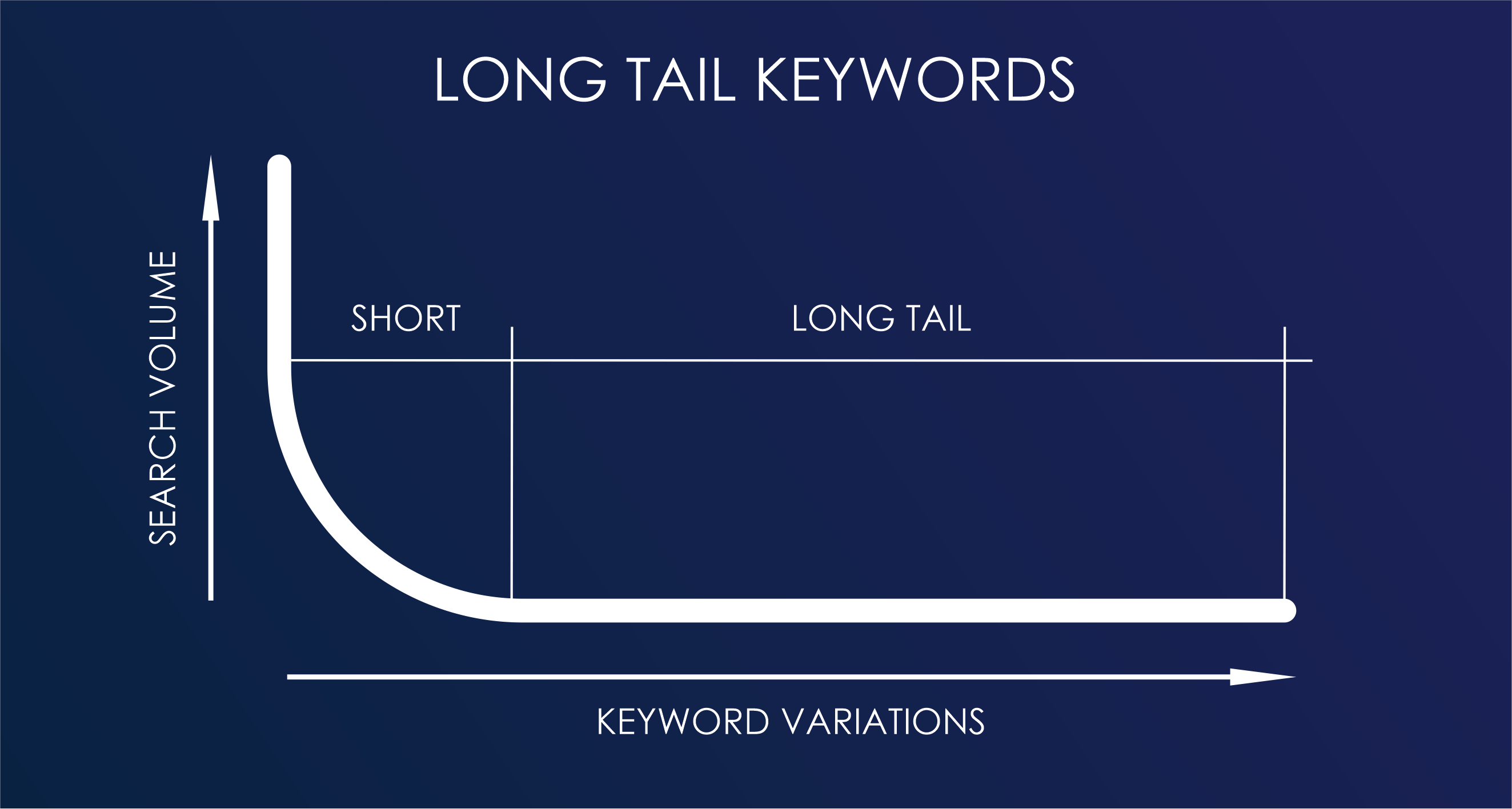
- Focus on Long-Tail Keywords: Long-tail keywords are highly specific and often less competitive, making them a cost-effective way to attract targeted traffic. Use search term reports to discover long-tail opportunities and incorporate them into your campaigns.
Conclusion: Mastering Search Terms for Maximum ROI
Optimizing your Google Ads search terms is more than just a best practice—it’s a necessity for staying competitive in e-commerce. By understanding the nuances between search terms and keywords, leveraging search term reports, and implementing targeted optimization strategies, you can drive higher-quality traffic, reduce costs, and achieve a stronger ROI.
The key to success lies in continuous learning and adaptation. Regularly review your data, test new strategies, and stay proactive in refining your approach. With the right tools and insights, you can unlock the full potential of your Google Ads campaigns and elevate your e-commerce business to new heights.
