Which one should you use, a dashboard or an AI assistant? A dashboard works best when you're tracking the same metrics every week and your team needs a shared view of the numbers. For one-off questions, or ones that span multiple accounts and don't have a ready answer in your current dashboards or reports, asking an AI assistant through MCP (Model Context Protocol) can be more practical. It comes down to whether you're looking at the data through the same lens every time, or asking a different question whenever one comes up. This article walks through when each approach fits best, with a decision table and real Orphex examples.
What's the Difference Between a Dashboard and Asking an AI Assistant Through MCP?
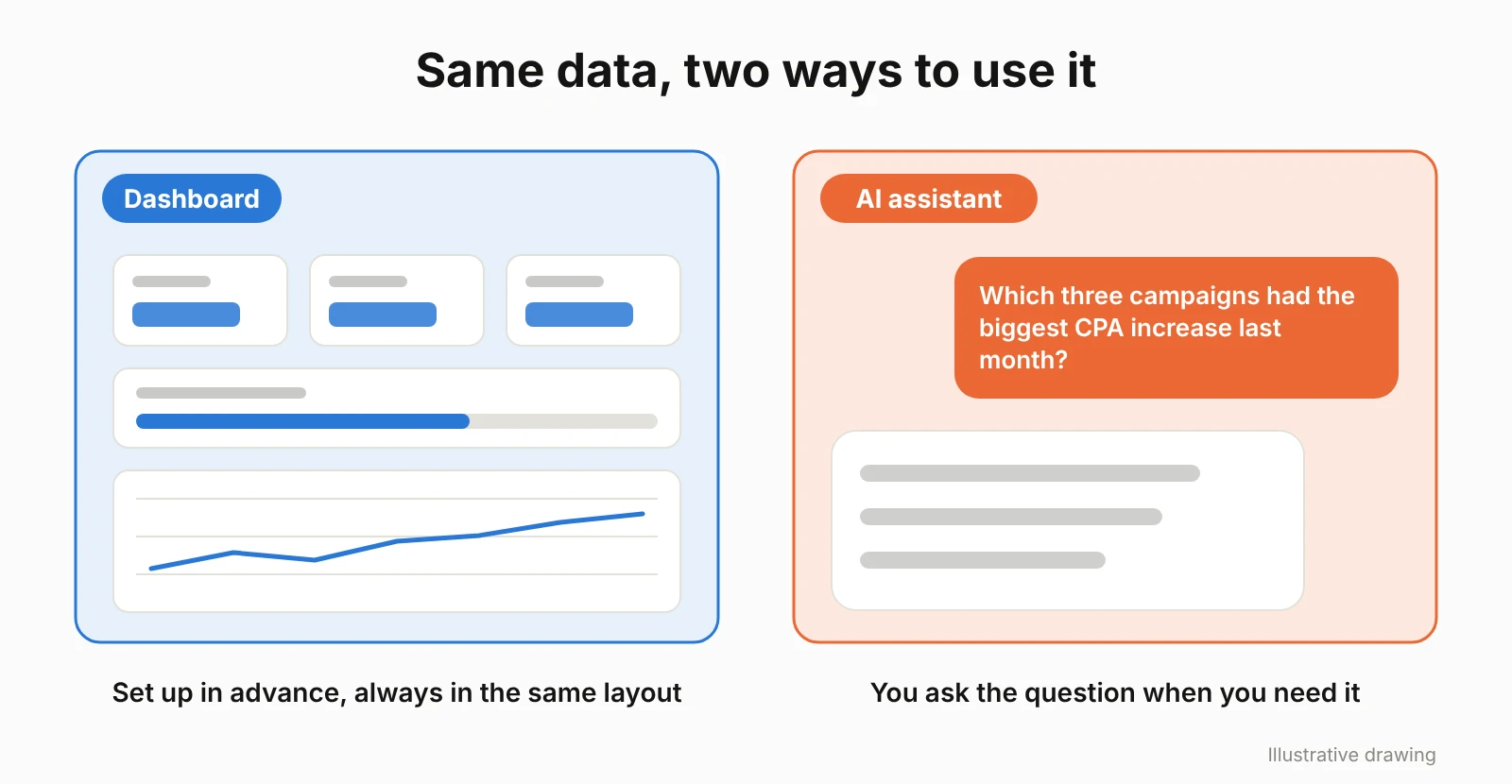
A dashboard is a screen that shows the metrics you've already decided to track, laid out the same way every time. Because the numbers always live in the same place, you know exactly where to look, and everyone on the team sees the same data.
MCP, on the other hand, is a standard that connects AI assistants to outside systems. The official Model Context Protocol documentation describes MCP as an open standard used to connect AI applications to external systems.
That connection is what lets an AI assistant reach the data in your ad accounts. You ask a question, and the assistant uses that data to answer it. Supported AI assistants can access your Orphex data through MCP.
So the real difference between the two comes down to where you start. With a dashboard, you decide in advance which data to track and build a screen around it. With an AI assistant, you can ask the question you actually have, on the spot, without setting up a new dashboard for every new question.
When Is a Dashboard the Better Choice?
A dashboard works best when you're tracking the same metrics on a regular basis and it matters that everyone on the team is looking at the same numbers.
Goal tracking is one of the clearest uses for a dashboard. If you're watching the same KPIs every week, you can see how close you are to the goal at a glance. Orphex's KPI tracking shows how KPIs are progressing against their targets over the period, and forecasts whether the target is likely to be reached.
A dashboard also helps when the team needs to work from the same metrics. In weekly meetings or management presentations, having everyone work from the same metrics and calculation methods helps prevent different interpretations of the numbers. Orphex brings campaign, budget, performance, and creative data from different ad platforms together in a single dashboard.
Charts are more useful than raw numbers when you're watching a trend. Seeing how spend has moved over the last six months, for example, is easier to read on a chart than by scanning numbers one by one.
If you want to know the moment spend or CPA crosses a limit you've set, an alert does that job. Orphex can send these alerts by email, Slack, Microsoft Teams, or WhatsApp.
We cover what to look for when choosing a dashboard in our guide to dashboard and reporting tools.
When Is an AI Assistant the Better Choice?
Asking an AI assistant works best when a question doesn't come up on a regular basis, or when there's no ready answer for it in an existing dashboard. That tends to show up in four situations.
The first is one-off questions. For something like "which three campaigns had the biggest CPA increase last month?", you don't need to build a new dashboard or report, you just need to ask.
The second is finding out when a change was made. A question like "when was this campaign's budget last changed?" doesn't require a dedicated dashboard; it only requires a specific piece of information. You can ask the assistant when a setting changed on your connected Google Ads and Meta accounts. Through Orphex, changes from the last 30 days are visible for Google Ads, while Meta allows you to go further back.
The third is comparing data across platforms in a single question. When you want to see Google Ads and Meta spend side by side, you can ask one question across your connected platforms instead of building a separate dashboard for every comparison.
The fourth is someone getting to know an account for the first time. A new team member can start with "which campaigns are active on this account?" and dig deeper step by step, without needing a predefined dashboard view.
We cover which AI assistants are supported in our guide to MCP servers for marketing teams.
You can see the steps for connecting Orphex MCP in Orphex Academy's Claude, ChatGPT, and Microsoft Copilot videos.
How Do You Choose Between a Dashboard and an AI Assistant?
The type of question you need to answer usually determines which approach is a better fit. Three questions make the choice clearer: does this come up regularly, how many people will be watching the screen, and is this already covered by an existing dashboard? The table below shows which approach fits best for each case.
Situation | Example question | Better fit | Why | Orphex equivalent |
|---|---|---|---|---|
Same KPIs tracked every week | "Where do we stand against the goal this month?" | Dashboard | The same metrics are shown in the same format each period, so progress toward the goal is visible right away | KPI tracking |
Team needs a shared screen | Weekly meeting, management presentation | Dashboard | Metric definitions stay fixed, so everyone talks from the same numbers | Dashboard |
Getting notified when a threshold is crossed | Alert when spend or CPA crosses a set rule | Alert | The rule is defined in advance, so no one has to remember to ask | Alerts (email, Slack, Microsoft Teams, WhatsApp) |
Watching a trend | Spend chart for the last 6 months | Dashboard | A chart shows the rise and fall at a glance | Dashboard |
A report built the same way every period | Monthly report for leadership or a client | Dashboard | The report keeps the same structure from one period to the next | Dashboard, weekly summary |
A one-off question with no ready answer | "Which three campaigns had the biggest CPA increase last month?" | Asking the AI assistant (MCP) | No need to build a new dashboard for this question | Orphex MCP |
Finding out when a change was made | "When was this campaign's budget last changed?" | Asking the AI assistant (MCP) | The answer is a single fact, not a screen | Orphex MCP (last 30 days for Google Ads) |
Comparing data across platforms | Asking for Google Ads and Meta spend side by side | Asking the AI assistant (MCP) | No need to build a separate dashboard for every comparison | Orphex MCP (connected platforms) |
A new team member getting to know an account | "Which campaigns are active on this account?" | Asking the AI assistant (MCP) | Questions can go step by step, no existing dashboard needed | Orphex MCP |
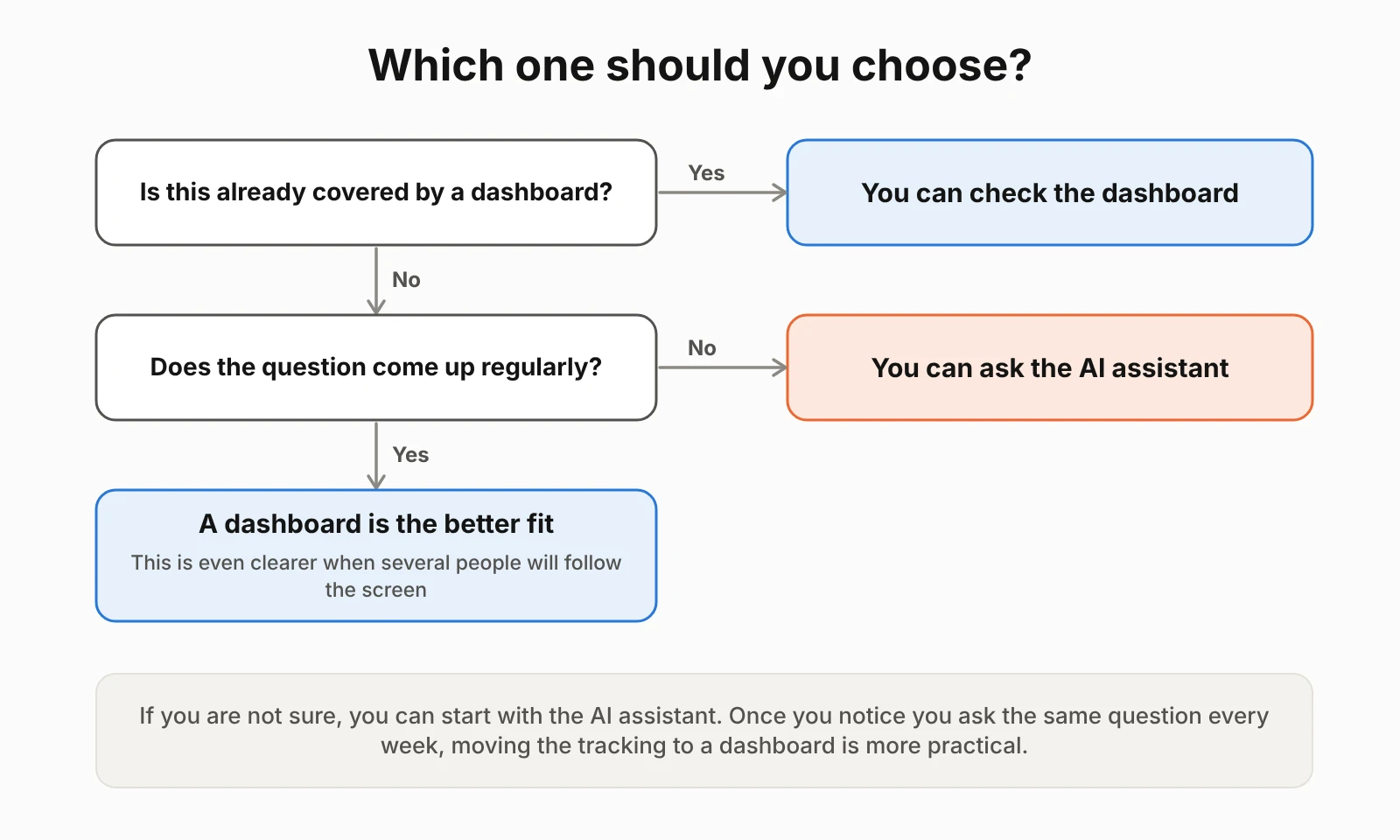
In short, if you're tracking the same question regularly and want more than one person looking at the same data, a dashboard is the better fit. If the question is new, one-off, or develops as you ask follow-up questions, you can ask the AI assistant directly.
If you're not sure which one fits, start with the AI assistant. Once you notice you're asking the same question every week, moving that tracking into a dashboard becomes the more practical choice.
How Do Dashboard and MCP Work Together in Orphex?
In Orphex, you can reach the same data either from the dashboard or by asking an AI assistant through MCP. You can also ask the assistant about the KPI goals you track regularly, the actual values, progress, pace, forecasts, triggered alerts, and the weekly summary.
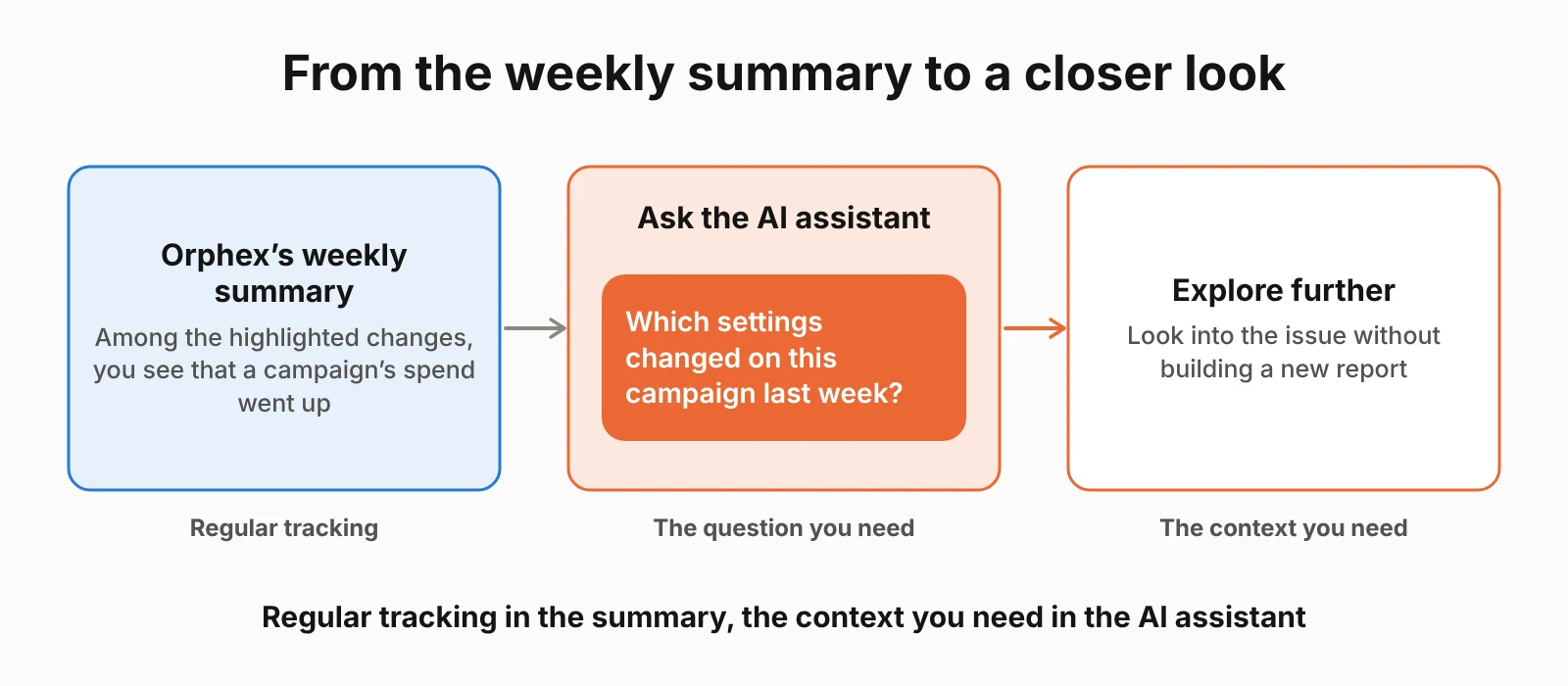
For example, Orphex's weekly summary highlights the biggest changes along with prioritized action suggestions for the coming week. If the summary shows a campaign's spend has gone up, instead of building a new report you can ask the assistant, "which settings changed on this campaign last week?" to investigate further.
The same goes for an alert. Once one triggers, you can ask the assistant for more context. Your team decides which KPIs matter and which rules trigger an alert. The dashboard keeps the regular tracking going, while the AI assistant lets you explore specific questions as they come up.
What Should You Check Either Way?
A dashboard and an AI assistant take different routes, but the same checks apply once you're reading the numbers.
Date range. Comparing the first 15 days of this month to all of last month can be misleading. A dashboard shows the selected date range on screen. When you ask an AI assistant, you need to say which period you mean.
Metric definition. Metrics like ROAS, CPA, and conversions need to be defined the same way across the team. The same metric can produce different numbers depending on how it's calculated.
Account and platform. If you're working across more than one account or platform, check which account or platform the data belongs to.
Source. When you share a number in a meeting or report, say where it came from and which date range it covers.
Frequently Asked Questions
Should I use a dashboard or an AI assistant?
If you need to answer the same question every week and more than one person needs to look at the same data, a dashboard is the better fit. If the question is new, one-off, or evolves through follow-up questions, you can ask the AI assistant directly.
Does an AI assistant replace a dashboard?
No. A dashboard is still the better fit for regular tracking, keeping the team aligned on the same data, and watching trends. An AI assistant is more useful for answering questions that don't have a ready answer in a dashboard. The two don't replace each other, they answer different questions.
What can I ask an AI assistant about my ad account?
You can ask an AI assistant which campaigns had the biggest CPA increase last month, when a campaign's budget was last changed, or which campaigns are active on the account. You can also compare spend across your connected Google Ads and Meta accounts in the same question.
AI assistants supported by Orphex can access your Orphex data through MCP. You can also ask about KPI tracking, triggered alerts, and the weekly summary. For questions about change history, Orphex shows changes from the last 30 days for Google Ads, while Meta allows you to go further back.
Can a dashboard and MCP be used together?
Yes. A dashboard is better suited to regular tracking, while an AI assistant is useful for questions that come up as you work. The two complement each other.
In Orphex, you can reach the data you track regularly through an AI assistant via MCP as well. For example, if the weekly summary shows a campaign's spend has increased, you can ask the AI assistant for more context.